GPT Image 2 API guide
The short answer · GPT Image 2 is available in MaxAPI's image API under openai/gpt-image-2, for generation and reference-image editing. This catalogue entry allows up to 16 references. Published routes are official, official-cheap, mix; file acceptance, permissions and output options must be checked for the route you actually use.
GPT Image 2 has two billing options on MaxAPI. Per-image catalogue base prices are mix: US$0.019 per completed image. Official and official-cheap use token billing. Check the dated budgets and real test receipts below. Routes & pricing
Integration review ·
Checked against MaxAPI's public catalogue, gateway implementation and local regression cases. Shared gateway checks are not separate end-to-end tests of every listed model. This is an integration reference, not a live upstream availability or performance report.
Before you integrate
Parameters describe MaxAPI's published configuration. A selected route may impose additional input or access requirements.
- Request model ID
openai/gpt-image-2- Output type
- Image
- Base URL
https://api.maxapi.dev- Generation workflow
- Synchronous or asynchronous
- Reference images · MaxAPI limit
- 16
- Quality values
high / auto / medium / low- Resolution & dimensions
- Use size as WIDTHxHEIGHT. For 4K landscape, use 3840x2160; 4K does not mean 4096x4096.
A reference must be an actual image, not an HTML error page, PDF or renamed file. Check that the complete file decodes correctly; a small file can still have enormous pixel dimensions. Start with one reference before testing your full set.
Model strengths & selection
Flexible canvases and reference fidelity
OpenAI describes GPT Image 2 as a generation-and-editing model with flexible image sizes and high-fidelity image inputs. Its useful distinction here is a pixel-sized canvas and reference-led editing, rather than Gemini's named resolution tiers.
Source review ·
Model-specific sources: OpenAI · gpt-image-2
When to compare this model
Use it as a baseline for an existing OpenAI-shaped image workflow. Compare Sunburst when preserving unedited details is your main acceptance criterion; compare Flare when exploring many visual directions.
Know the limits
A 4K label is not permission to request a 4096×4096 canvas. Validate dimensions and inspect the returned file. High-fidelity input does not guarantee pixel-identical packaging, lettering or faces.
Provider capabilities describe the model, not the complete MaxAPI feature set. Use the parameters, input types and routes documented for this MaxAPI entry. Vendor speed or quality descriptions are not service-level guarantees.
How MaxAPI handles this request
Which route wins?
Routing priority is: the API key's configured route_modes list → an explicitly requested route → the model's default route. A non-empty key list takes precedence over route_mode in the request. To test a specific route, check the key configuration first; changing the request alone may not change the route used.
RPM is shared at account level
An account's positive RPM limit covers its API keys together. A key can impose a stricter limit, but a higher key limit does not override the user limit. For example, a user limit of 200 RPM is not 200 RPM for each key. Service-level RPM and concurrency controls also apply; adding keys is not a way to bypass them.
Routes & pricing
How much does the GPT Image 2 API cost?
| Route | 1 image | 100 images | 1,000 images | Access |
|---|---|---|---|---|
| mix | US$0.019 | US$1.90 | US$19.00 | Check live route availability |
Catalogue arithmetic reviewed October 16, 2026. These rows use a flat per-image rate, with one output per request. They do not establish that every size, quality or reference combination is available. A new successful rerun is another billable image, even if you reject its appearance.
A generation-versus-editing calculation
Token cost = the sum of each billed token component × its applicable rate ÷ 1,000,000. Keep text input, image input and image output separate; use any reported cached-input rate separately instead of counting those tokens twice. Size, quality and reference inputs can change token usage.
| Route | Generation example (USD) | Editing example (USD) |
|---|---|---|
| official | 0.030500 | 0.034500 |
| official-cheap | 0.018300 | 0.020700 |
Assumed usage, not a measured image: 100 text-input tokens + 1,000 image-output tokens. The editing column adds 500 image-input tokens, with no cache. These token counts are invented only to show the calculation; they are not a quote for 1K, 2K, 4K or a quality tier.
What changes the final cost?
- Size and quality: on a token route, use returned usage to reconcile the bill. A request for high or max does not by itself verify which upstream tier produced the file. On a flat-rate route, check whether the current quote has size or quality conditions.
- Reference editing: image-input tokens can add cost on token routes. Compare the same references, prompt and output settings. A reference-count limit is not a promise that every file is accepted.
- Async and failures: HTTP 202 accepts a task; it is not a completed image. Poll the saved task instead of submitting again. Estimated or reserved credits are not final charges; reconcile the terminal state with the usage bill.
These are arithmetic examples, not measured usage or an account quote. 1 credit = US$1. Account multipliers and active billing settings determine settlement. A pinned API-key route takes precedence over route_mode in the request; verify the effective route in usage logs.
Compare GPT Image 2, Flare and Sunburst: original outputs and actual chargesPublished routes: official, official-cheap, mix. Specify route_mode in an image/video JSON request; Gemini-native requests use X-MaxAPI-Route-Mode. A route is an access and billing choice, not a different public model ID.
| Route | Published base price | Billing unit |
|---|---|---|
official | $5 | text_input · per 1M tokens |
official | $8 | image_input · per 1M tokens |
official | $30 | image_output · per 1M tokens |
official-cheap | $3 | text_input · per 1M tokens |
official-cheap | $4.8 | image_input · per 1M tokens |
official-cheap | $18 | image_output · per 1M tokens |
mix | $0.019 | per output image |
1 credit = US$1. These are catalogue base rates, not a live account quote. Account multipliers and the active billing configuration determine the final charge. Token rates are not a fixed price per image.
Check current pricingYour first request
Create a MaxAPI API key and set MAXAPI_KEY in your server environment; never put it in browser code. A configured key route list takes priority, even if the request specifies a route. Only when that list is empty does the request route apply; otherwise the model default is used. API calls may incur charges.
POST /v1/images/generationsPOST /v1/images/editsGET /v1/images/generations/{task_id}GET /v1/images/edits/{task_id}
Synchronous calls wait for the result. For asynchronous image generation, add async: true to the JSON body; on Gemini-native requests use X-MaxAPI-Async: true. Save the returned task ID and poll the matching GET endpoint listed above.
curl -X POST "https://api.maxapi.dev/v1/images/generations" \
  -H "Authorization: Bearer $MAXAPI_KEY" \
  -H "Content-Type: application/json" \
  -d '{
    "model": "openai/gpt-image-2",
    "prompt": "a clean product photo of a glass cube",
    "size": "1024x1024",
    "quality": "high",

    "n": 1
  }'
Reference-image example
Replace reference.png with a real, decodable image. Let curl set the multipart boundary; do not add a JSON Content-Type header to this request.
curl "https://api.maxapi.dev/v1/images/edits" \
  -H "Authorization: Bearer $MAXAPI_KEY" \
  -F "model=openai/gpt-image-2" \
  -F 'prompt=Keep the product unchanged and replace the background with a soft gray studio backdrop.' \
  -F 'image=@reference.png' \
  -F 'size=1024x1024'
An accepted image task is not a finished image
On the OpenAI-compatible image endpoints, async=true returns task fields such as id, status and poll_url. Follow that poll_url with authentication from the same account. queued/running are not successful image outputs; inspect the final state before consuming data. A polling HTTP 200 means the lookup succeeded, not that the generation succeeded.
{
  "id": "example-task-id",
  "object": "image.generation.task",
  "status": "queued",
  "model": "openai/gpt-image-2",
  "poll_url": "/v1/images/generations/example-task-id"
}Check your first result
Request-contract review ·
Checked against the public catalogue and gateway code. Examples are structural illustrations, not paid model tests, latency measurements or a guarantee that every route is currently available.
Send the right fields
model- Use openai/gpt-image-2 for this MaxAPI entry. The model ID alone does not select a billing route.
size / quality / n- Start with 1024x1024, quality=high, n=1. For a larger image, use a size supported by this entry; the label 4K is not a request for 4096x4096.
/v1/images/edits- For editing, use the multipart example above with a decodable image and a non-empty prompt. The catalogue lists up to 16 references; that is not proof that every route accepts the maximum.
Read the actual result
data[]- For a synchronous result, inspect data entries and the returned url or b64_json. Download or decode the image, then check its actual dimensions and visual details.
async=true- For asynchronous calls, save id and poll_url. HTTP 200 from polling means the lookup worked; wait for status=succeeded and inspect data. Do not re-submit a POST just to check progress.
{
  "data": [
    {
      "url": "https://example.com/generated-image.png"
    }
  ]
}
Troubleshoot by symptom, not just HTTP status
400Missing or invalid request fields
- What it tells you
- Check the response's error code, not only 400. For image edits, an empty prompt produces prompt_required. A parameter validation error is different from an upstream generation failure.
- What to do next
- Check model, prompt, field types and documented size/quality values. Correct the request before retrying. For Gemini-native responses, inspect the numeric error.code and error.status fields.
Invalid image fileA reference cannot be decoded or accepted
- What it tells you
- A filename ending in .png does not prove that the bytes are a valid PNG. The URL may return an error page, an incomplete download or a format the selected channel cannot use. An upstream 400 may be reported as a generic generation failure, so status alone does not identify the bad file.
- What to do next
- Download and decode every reference locally. Check MIME type and pixel dimensions, then export a fresh supported image if needed. Submit one reference first and add the others in order to locate the problematic input; do not repeatedly resend an unchanged invalid file.
429rate_limit_exceeded / capacity_exhausted
- What it tells you
- 429 can represent account/key RPM, service-wide capacity or generation capacity. Use Retry-After and available X-RateLimit-* / X-Global-* headers to distinguish them; one status code does not identify one unique cause.
- What to do next
- Respect Retry-After when present, reduce request rate or active concurrency as appropriate, and use bounded backoff. Do not treat the site's total capacity as your account's personal quota.
451content_policy_violation
- What it tells you
- On the image generation failure path, a recognized upstream content refusal is mapped to 451. This is not the same as a network outage. MaxAPI's local moderation and an upstream refusal are different stages, even when both prevent a result.
- What to do next
- Review the stated policy issue and use compliant inputs, or contact support if you believe the classification is mistaken. Do not retry unchanged blocked content or rotate routes to evade moderation.
502 / 503 / 504Generation failure, unavailable service or timeout
- What it tells you
- These responses do not all mean the same thing. MaxAPI distinguishes generation_failed, generation_unavailable and generation_timeout on compatible image endpoints. A client-side timeout can also happen before the server has finished a task.
- What to do next
- If you have a task ID, poll before creating another task. Without an ID, keep the request ID and timestamp and investigate before blindly resubmitting. Retry transient failures with a limit, not an unbounded loop.
Real outputs: two prompts, no rerolls
· Mix · 1024 × 1024
Paid MaxAPI samples from September 17, 2026. Each image is one original result, not a concept illustration. All requests used Mix, n=1 and no reference images; every output decoded at 1024 × 1024.
Request settings: route_mode=mix · size=1024x1024 · quality=high · n=1
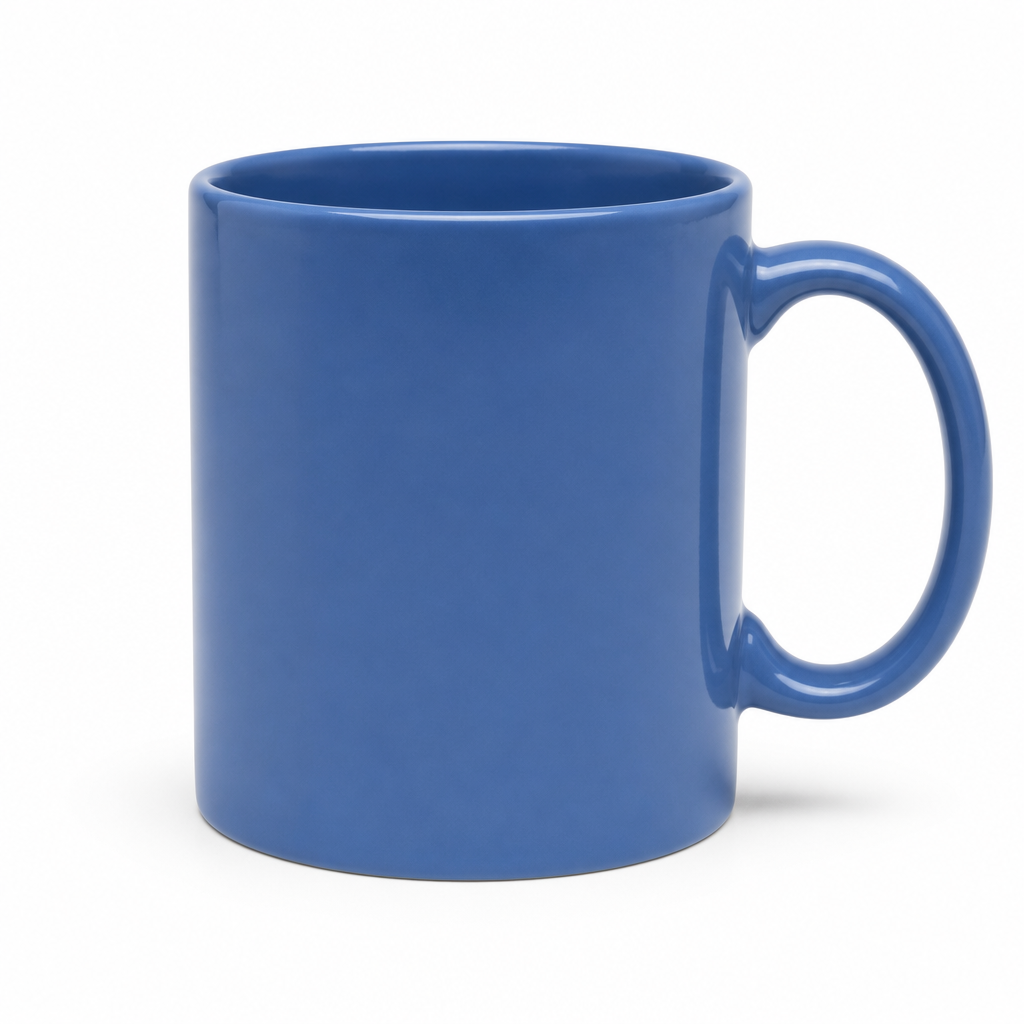
Product photo · blue ceramic mug
A large, smooth blue mug, a right-hand handle and a soft shadow. No visible lettering or logo.
- Settled credits
- 0.019
- Service completion
- 39.772 s
- Browser result ready
- 46.4 s
Reused from the earlier first-call verification; not generated again for this comparison.
Open original imageExact prompt
A single blue ceramic mug on a plain white background, soft studio lighting, centered square composition, no text, no logos.
Text layout · coffee-shop poster
A serif headline and a photographic-looking cup and saucer. The requested English strings are readable and correct, but the headline wraps into two lines.
- Settled credits
- 0.019
- Service completion
- 51.489 s
- Browser result ready
- 56.2 s
Exact prompt
Create a square editorial poster for a fictional independent coffee shop. Warm ivory background, a blue ceramic coffee cup in the lower half, a single orange circle in the upper right, restrained navy and orange palette, generous margins, crisp typography. Include exactly these three lines of English text and no other text: "SLOW MORNINGS" as the large headline, "COFFEE & CONVERSATION" as the subtitle, and "SATURDAY 9 AM" as the small footer. Keep every letter readable and all text inside the canvas. No logos, no watermark.The three posters contain the requested words, but each wraps the headline into two lines. Correct spelling did not satisfy the strict three-line layout requirement.
The GPT request asked for high quality, but the task response did not expose the effective quality tier. This is not independent confirmation of upstream high quality.
Charges are this test account’s settled credits on the test date, not permanent prices. Timings are individual observations, not a speed ranking or latency promise.
Two samples per model are not a reliability study. Mix can select different upstream channels, so these outputs do not independently certify provider identity or quality. Reference editing, 4K, batch consistency and other routes were not tested.
Compare all six original outputs and promptsCheck current account pricing
What you can build
The use cases and prompts below are our suggested evaluation briefs, not provider benchmarks or tested output samples.
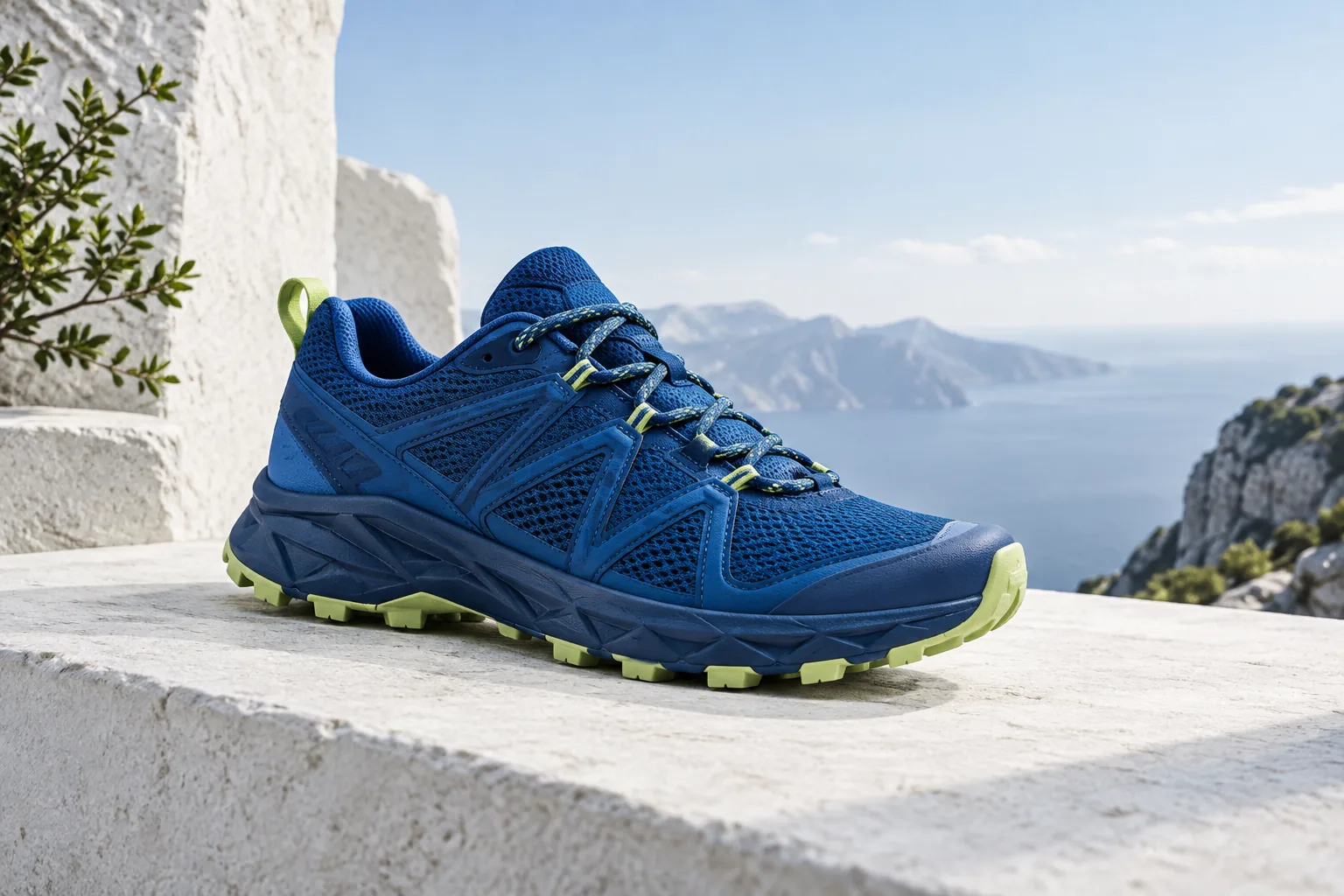
AI-created concept illustrations · not outputs or benchmarks from this model. Prompts below are starting points, not recipes that reproduce these images.
Creative practice · shared production advice
Build a campaign around the product
A product visual needs more than an attractive backdrop. With GPT Image 2, begin by describing where the picture will appear: a square catalogue tile, a wide landing-page banner or a portrait social post. That decision changes the crop, the product's scale and where empty space belongs. Define the material, camera height and direction of light so the scene has a coherent photographic language.
When the exact product matters, use a clear reference rather than asking the model to invent packaging. State which silhouette, colors and visible details must remain unchanged, then describe the environment separately. Review small lettering and product features at the intended display size. For a campaign series, keep the same brief and vary one background or lighting decision at a time.
Give every reference a job
This MaxAPI entry lists up to 16 reference images. Treat that as an input ceiling, not a target you have to fill. One clean subject image and one useful composition reference can communicate more clearly than a collection of unrelated pictures. Number references in the order you send them and explain whether each controls the subject, framing, palette or material.
An edit brief should separate invariants from changes. For example: keep the bottle and pump intact; replace only the background; do not borrow the logo or objects from the style reference. If the first result drifts, simplify the references and tighten the brief before adding more files. Multiple references do not guarantee identity preservation, and every output still needs review.
Explore a visual language before committing
A useful first image answers a question: does this composition work, is the palette right, or do the materials feel appropriate? Give the model a specific relationship between objects, such as translucent glass against folded fabric, rather than a chain of vague adjectives. Describe the contrast, perspective and focal point. Save promising directions with their prompts so the next iteration has a clear starting point.
For posters and editorial layouts, reserve space for text and specify the few words that actually need to be generated. Long legal copy, precise prices and fine typography are often better finished in your design tool. A generated image can be the visual foundation without being the entire finished deliverable. Crop-check it in each intended format instead of assuming one composition will work everywhere.
Prompt examples worth adapting
A good prompt is a small creative brief. Replace the subject and constraints with your actual requirements; keep size, route and quality in the API parameters rather than relying on prose alone.
01 / Adapt a product to a wide banner
Use reference 1 as the product source. Keep the bottle shape, label and camera angle. Create a wide studio composition with the product in the left third and an uncluttered right half for website copy. Use a matte gray floor and soft side lighting. Do not invent packaging text or add a second product.What to review · Check the returned pixel size, label integrity and title-safe crop.

Plan the final format before generating
The destination determines the composition. A square catalogue image, a wide banner and a portrait cover need different focal points and safe areas. Choose the intended aspect ratio first; simply cropping a finished image may cut off the product or remove the space reserved for a headline.
Use the supported sizing controls listed above. A resolution label is not a promise of a particular square dimension, and a larger file is not automatically a better visual. Inspect the returned pixel dimensions, fine details and crop at the final display size. For precise grids, legal text or pixel-exact layouts, plan a finishing step in your design tool.
From reference files to a useful image
Prepare a small, deliberate reference set
Remove near-duplicates and assign a role to each file. Check that images decode completely and that product details are actually visible. Use references you are entitled to use; avoid unrelated confidential material in the same request.
Separate the creative brief from API settings
Put subject, changes and constraints in the prompt. Set model, route, quality and size explicitly in their fields. Test one reference first, then expand the set. Keep the production route fixed while deciding whether the visual brief works.
Review composition before final output
Inspect subject identity, perspective and empty space. Adjust one variable and keep a record of the result. Moving to another resolution may change details or composition, so review the final generation again rather than assuming it is an exact upscale of the draft.
Save the result with its production context
Keep the final file, prompt version, model ID, route, dimensions and request ID together. Record the actual charge and whether the result passed review. That gives your team a usable template for future work, without implying identical future pixels.
Choose for the job, not just the model name
This is a testing guide, not a measured ranking. Reference limits come from MaxAPI's current catalogue; a selected route can have additional restrictions. Compare the same inputs, output settings and acceptance criteria.
| Model | Configured references | What to compare in your test |
|---|---|---|
| GPT Image 2 | 16 | Generation and edits: compare instruction following, file acceptance and output dimensions. |
| GPT Image 2.5 Sunburst | 16 | Fine edits: test how well the intended changes and protected details are separated. |
| GPT Image 2.5 Flare | 16 | Daily creative iterations: measure the quality and time of your own representative jobs. |
| Nanobanana Pro | 14 | Reference-driven work: evaluate subject details, composition and target output tier. |
| Gemini 3.1 Flash Image Preview | 14 | Multiple output tiers: evaluate format coverage and the cost of usable results. |
From a test to production
Test the route you will actually use
Keep model, route and parameters fixed during your first comparison. Test your own typical inputs as well as large or unusual files. Published model capabilities do not guarantee that every upstream channel accepts every edge case.
Separate limits from generation errors
On 429, reduce request rate or concurrency and back off before retrying. On invalid-input errors, fix the input first. Preserve request and task IDs for troubleshooting; do not log API keys or sensitive reference files in public logs.
Track usable results and actual spend
Use your account's usage and billing records to verify the final result and charge. A successful HTTP response can be a task receipt rather than the final output. For published work, check generated text, visual details and rights to supplied reference material.
Verified integration cases
Checked against MaxAPI's public catalogue, gateway implementation and local regression cases. Shared gateway checks are not separate end-to-end tests of every listed model. This is an integration reference, not a live upstream availability or performance report.
Multiple keys share the user limit
Local regression · passed- Test setup
- Use two keys owned by the same account against an in-memory limiter with a small user quota.
- Observed result
- Requests across the keys consume the same user quota; subsequent requests are limited. A larger key quota does not override the user quota, and a smaller key quota remains effective.
An edit with no prompt is rejected early
Local regression · passed- Test setup
- Send an image-edit request with an empty prompt and a reference URL to a local test handler.
- Observed result
- HTTP 400 with error.code=prompt_required, before route dispatch. A reference image does not replace the edit instruction.
JSON reference URLs are normalized for editing
Local regression · passed- Test setup
- Pass an image_url plus prompt through the local JSON-to-multipart converter; separately test image_url=not-a-url.
- Observed result
- The converter retains the model and reference fields; invalid URL syntax is rejected. This is a request-format check, not a download or model-generation success test.
Content refusal and capacity failure stay distinct
Local regression · passed- Test setup
- Feed mocked upstream content-refusal and 429/503/504 responses into the generation-error mapper.
- Observed result
- Content refusal maps to 451; capacity, unavailable service and timeout retain distinct public codes. The compatible 429/503 responses include Retry-After: 2 in these tests.
Image reservations settle or release on completion
Local regression · passed- Test setup
- Exercise successful and failed synchronous image reservations with a local test database.
- Observed result
- Success consumes the hold with a usage record. Failure releases the reservation without a generation charge. This verifies the tested code path, not a live account's current balance.
Frequently asked questions
When should I choose this model?
Use it as a baseline for an existing OpenAI-shaped image workflow. Compare Sunburst when preserving unedited details is your main acceptance criterion; compare Flare when exploring many visual directions.
What limitations are specific to this entry?
A 4K label is not permission to request a 4096×4096 canvas. Validate dimensions and inspect the returned file. High-fidelity input does not guarantee pixel-identical packaging, lettering or faces.
Why does changing route_mode not change my route?
Routing priority is: the API key's configured route_modes list → an explicitly requested route → the model's default route. A non-empty key list takes precedence over route_mode in the request. To test a specific route, check the key configuration first; changing the request alone may not change the route used.
Does each API key get the user's full RPM limit?
An account's positive RPM limit covers its API keys together. A key can impose a stricter limit, but a higher key limit does not override the user limit. For example, a user limit of 200 RPM is not 200 RPM for each key. Service-level RPM and concurrency controls also apply; adding keys is not a way to bypass them.
Do these local regression cases prove live model performance?
Local tests use simulated requests, responses and test storage; they do not call paid model channels. They verify request handling, not model image quality, live success rates, latency or end-to-end support for the maximum reference count. The concept illustrations elsewhere on this page are not these test outputs.
Which model ID should I send for GPT Image 2?
Use openai/gpt-image-2. Use the exact endpoint format in the example; the Gemini-native URL uses the short model name.
Does a listed price apply to every account and route?
1 credit = US$1. These are catalogue base rates, not a live account quote. Account multipliers and the active billing configuration determine the final charge. Token rates are not a fixed price per image.
Are failed requests charged?
MaxAPI's published rule is that failed requests are not charged. A request may temporarily reserve balance while it runs; check the final task outcome and billing records rather than treating a temporary balance change as the final charge.
Why is a route unavailable for my API key?
Route availability depends on the model, account permission and the API key's allowed routes. A published price is not an access grant. Check the account and key configuration before changing route_mode.
Why does a reference image fail validation?
A reference must be an actual image, not an HTML error page, PDF or renamed file. Check that the complete file decodes correctly; a small file can still have enormous pixel dimensions. Start with one reference before testing your full set.
Does 4K always mean a 4096×4096 image?
No. Resolution labels are not universal pixel dimensions. Use size as WIDTHxHEIGHT. For 4K landscape, use 3840x2160; 4K does not mean 4096x4096. Check the actual output dimensions when preparing your layout.
Should I immediately retry a failed or timed-out request?
First identify whether the response is a rate limit, invalid input or a still-running task. If you already have a task ID, query its status before submitting another generation. Apply bounded retries with backoff only to retryable errors.